
The Custodia platform enables a speedy approval policy of all transactions - aimed at improving the workflows of the financial departments.
A finance user will be able to approve the receipts of these transactions, post review.
This can be done as a mass update (as well as one by one).
Step-by-Step
- Log in to the web app from your browser (Chrome is recommended) at https://my.custodia.ai.
- Click on the Activity tab.
- Choose Expenses.
- Then you will be able to view all of your compant's Expenses. From this screen, on the right-hand side of each line item, you can click on the approval icon.
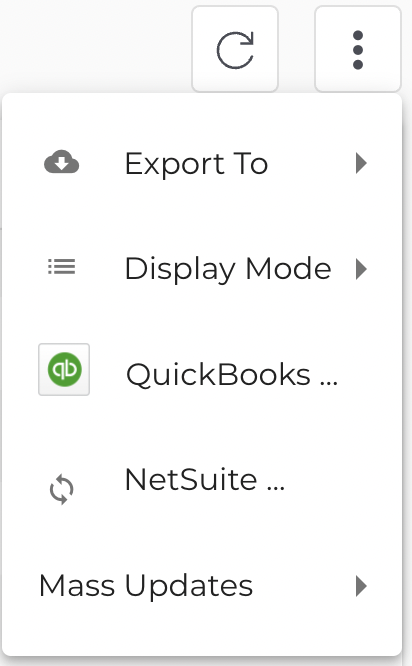
- In addition, it is possible to approve all the line items at once, by clicking on the three "More" dots:
- Then click on the Mass Updates feature
- Here you may choose the following options:
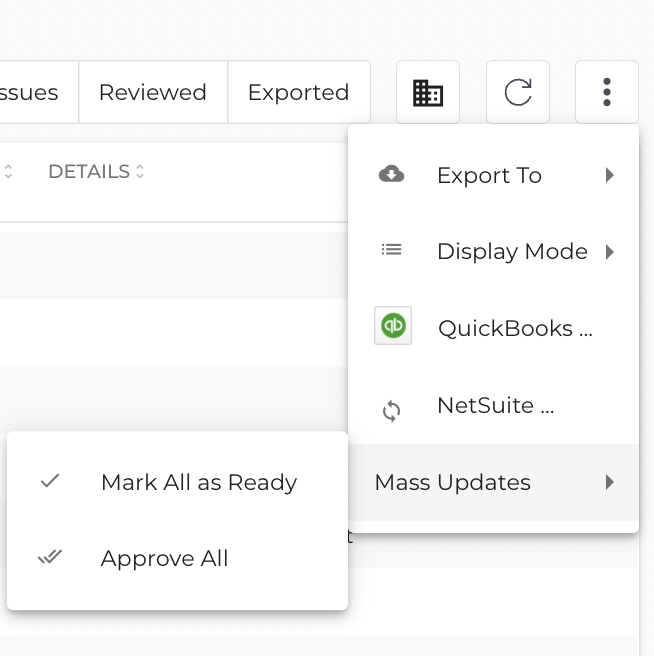
Mark all as ready: This will man that you have finished reviewing all Expenses.
Approve all:Mark this option if you approve all Expenses for your accounting systems.