Overview
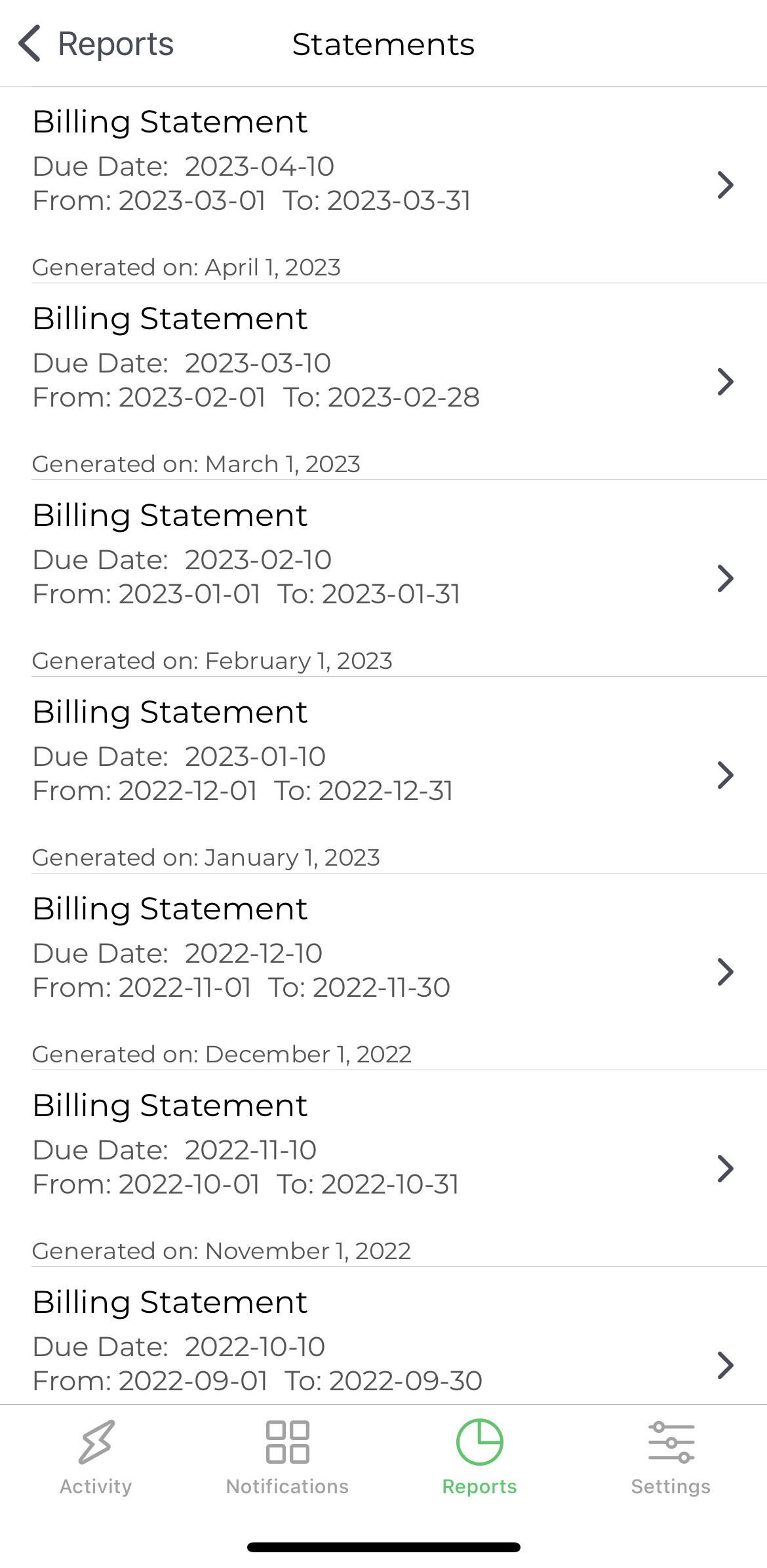
Yes. You can access your individual card statements directly from the mobile application. The mobile experience allows cardholders to review their billing periods, view statement balances, and download official statement documents.
Accessing Billing Statements
- Log into the Custodia App. (If you do not have it the app can be found in the Apple or Google Play Store).
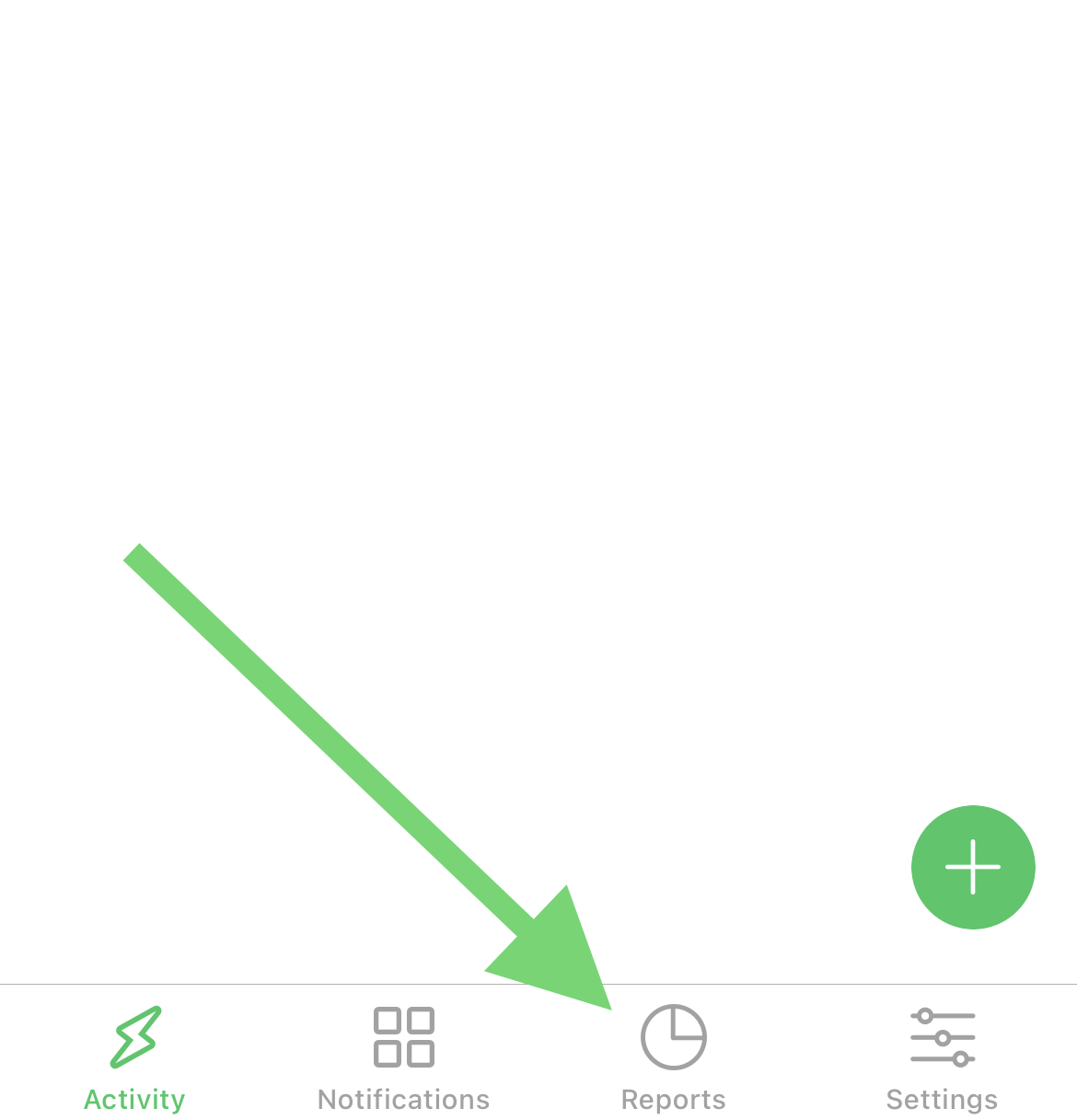
- Once logged in click Reports at the bottom of the screen.
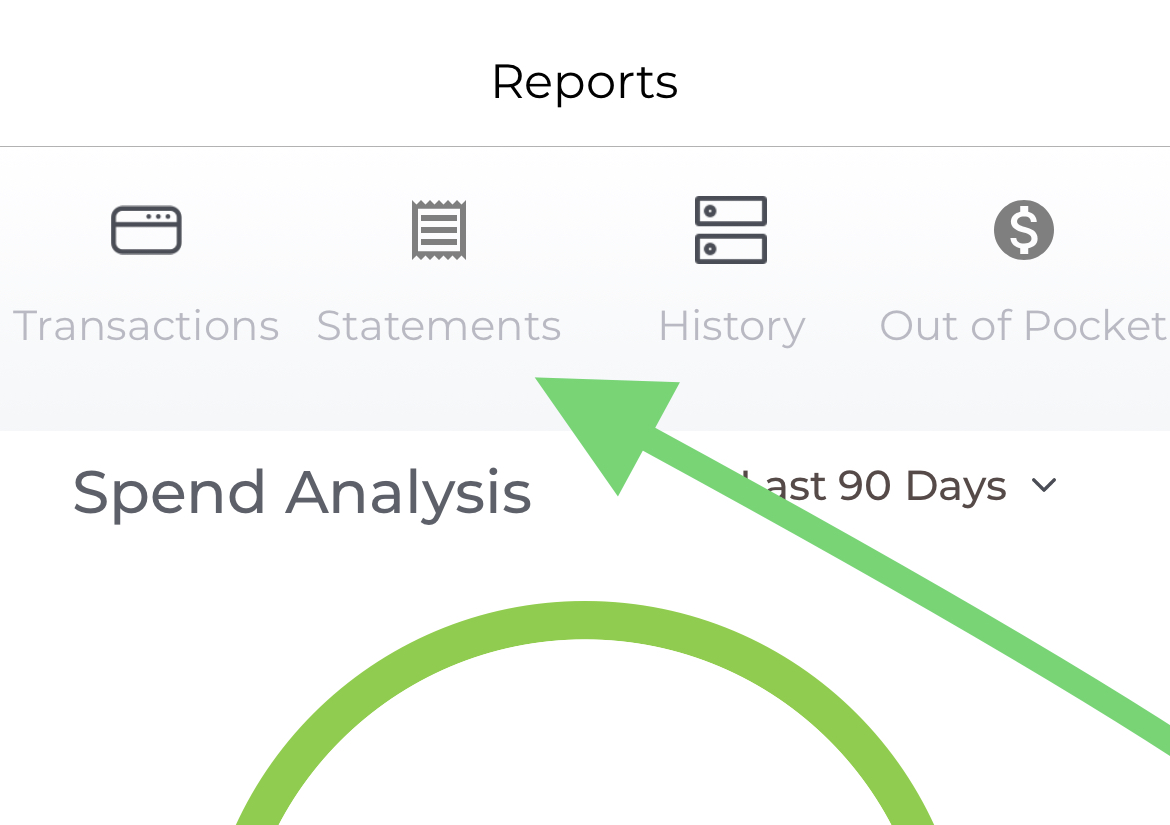
- At the top of the screen click the button labeled Statements.
- Select the billing statement relevant to your needs.
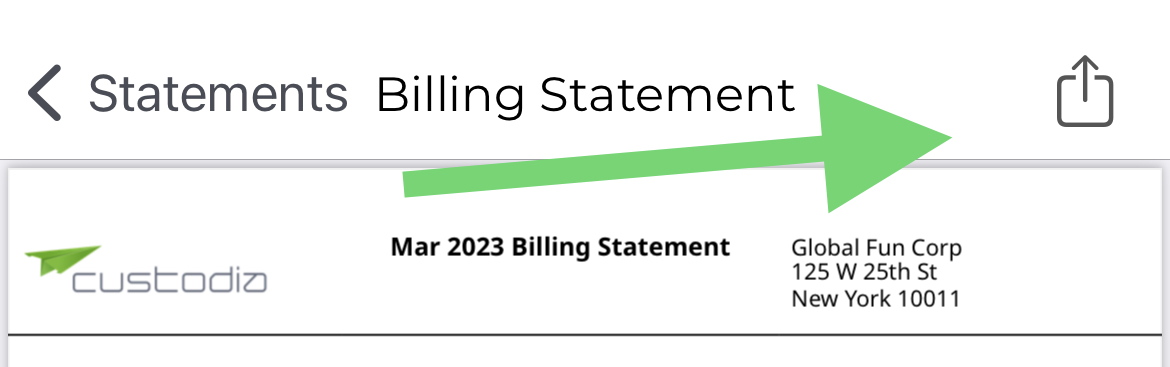
- Click the export box on the top right to download it, send it to yourself, or whoever is asking for it.